Friday, Nov 7th 2008 by Chris Davies


Worth Reading?


NoYes


+126 [158 votes]

In the first part of our HTC Touch HD review, we looked at the physical design, the display, the touchscreen, TouchFLO 3D, messaging and internet browsing.  Now, in the second part of our exclusive SlashGear review, we’ll look at GPS and media performance, camera ability and battery life, together with how the Touch HD performs as a cellphone.  We’ll also tackle the biggest question of them all: is the Touch HD an iPhone killer?

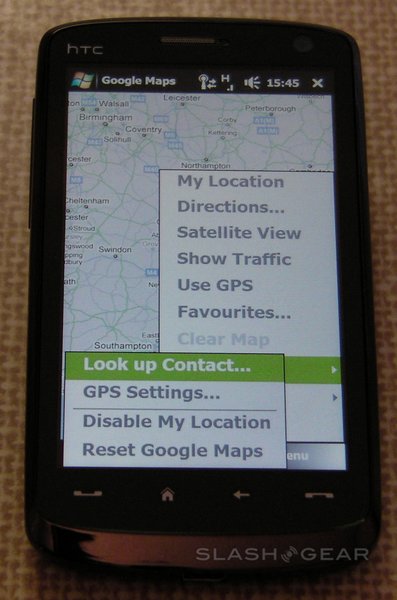
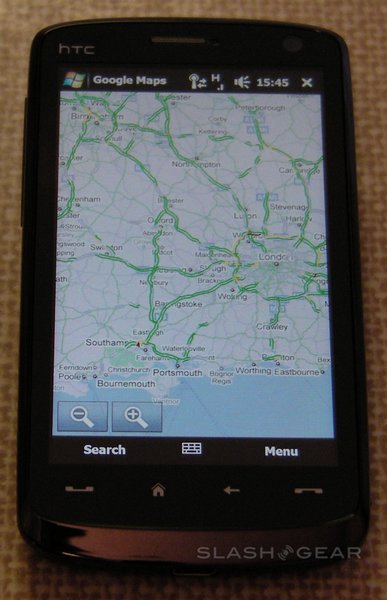
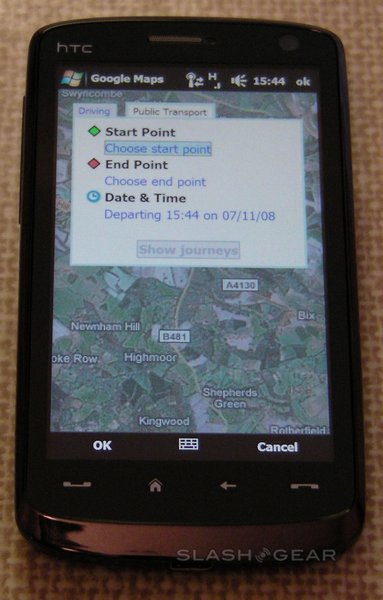
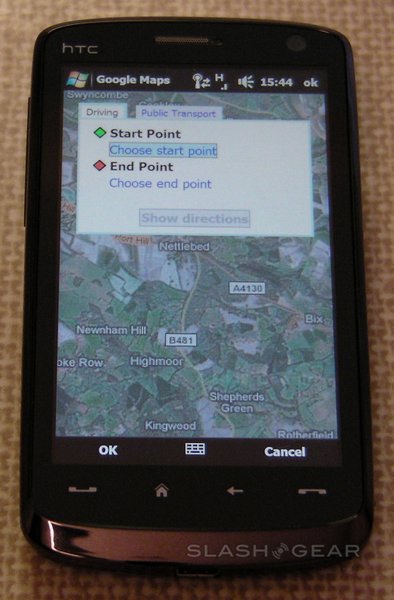
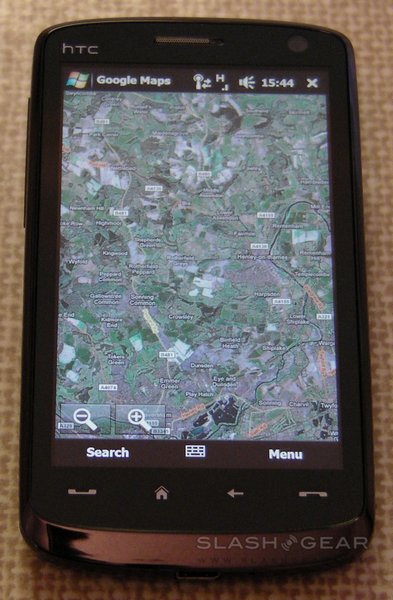
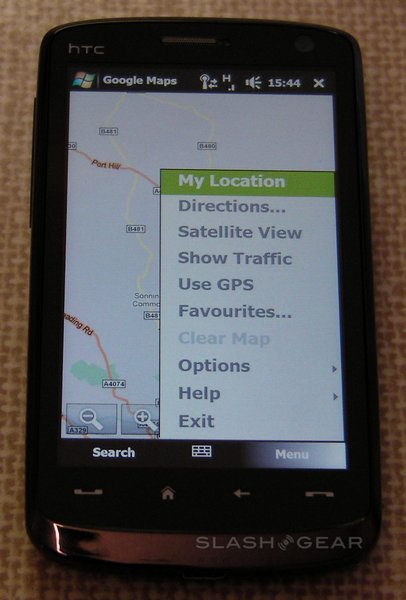
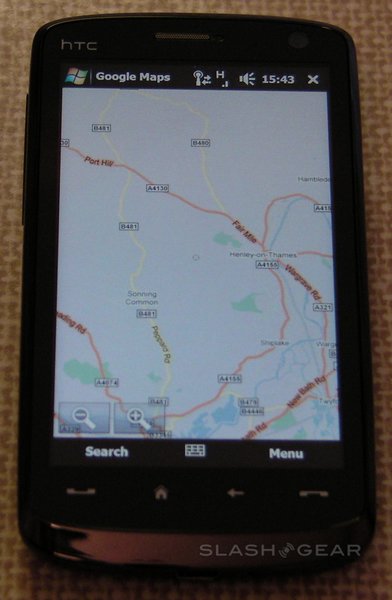
Google Maps is preinstalled on the Touch HD, and take excellent advantage of a display larger than that of some standalone satnavs.  As with Opera, zooming in can be triggered by double-tapping the screen (either with finger or stylus) and the page dragged around with a fingertip; unlike Opera, to zoom out you must use the translucent zoom controls in the bottom left-hand corner.  Rendering is fast and, in our experience, dependent more on your connection speed than the smartphone’s processor.

Options include toggling satellite imagery, traffic conditions (for major roads) and directions, which can be either entered on-the-fly or taken from the Touch HD’s address book.  Google Maps will give either driving or public transport instructions, presented on the map itself or in a list.  Use of the integrated GPS receiver is optional; we found initial acquisition times to be slow, certainly in excess of four minutes, though future “warm fixes” were quicker.  In recognition of this, HTC preload an app called QuickGPS which downloads the latest satellite data via your internet connection and speeds up acquisition times.  QuickGPS can be set to update automatically (which happens once a week, when the information becomes outdated) or manually.

The HTC Touch Diamond has been criticised for its GPS performance, which can lag behind actual position when moving at speed.  Hopes were high for the Touch HD to avoid such a fate, but unfortunately that doesn’t appear to be the case.  Whether from the processor (the same 528MHz Qualcomm MSM7201A as in the Diamond) or the GPS receiver itself, when driving the indicated position is always 50-80ft behind.  This makes navigating via the on-screen directions incredibly difficult.  At lower speeds, such as when walking, the Touch HD has no problems, just like the Diamond.  We’re still attempting to get hold of some alternative GPS programs, such as TomTom or Garmin Mobile XT, and will update this review when we’ve had an opportunity to try them out.

Unlike the Touch Diamond, which has 4GB of integrated storage but no way to expand that, the Touch HD has a mere 512MB of built-in memory and uses on microSDHC cards.  An 8GB card will be included in the box; HTC tell us that the Touch HD is fully SD 2.0 compliant, so practically speaking if you can find a 32GB microSDHC card it’ll work on this smartphone.

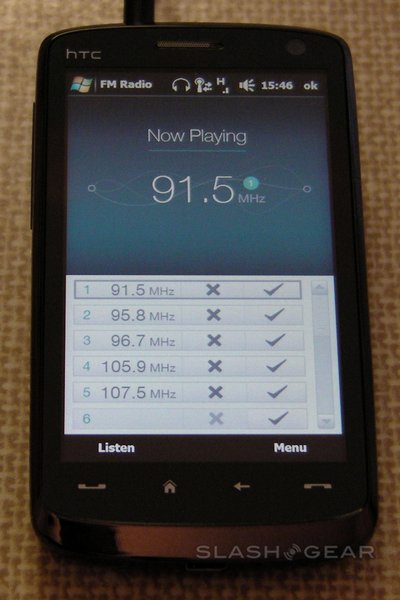
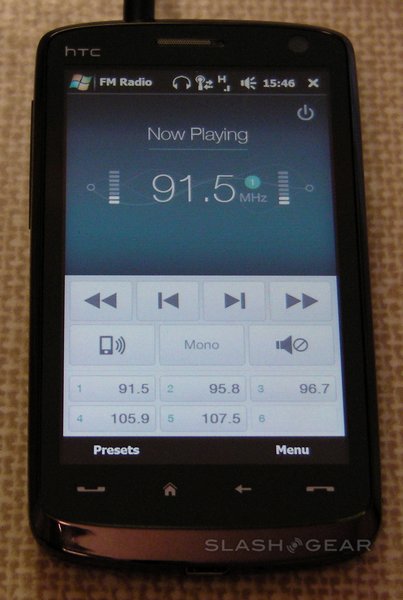
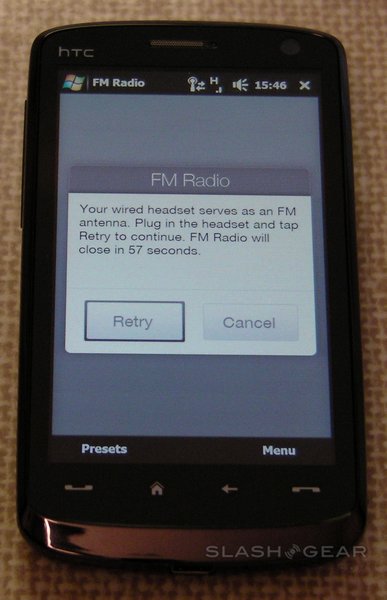
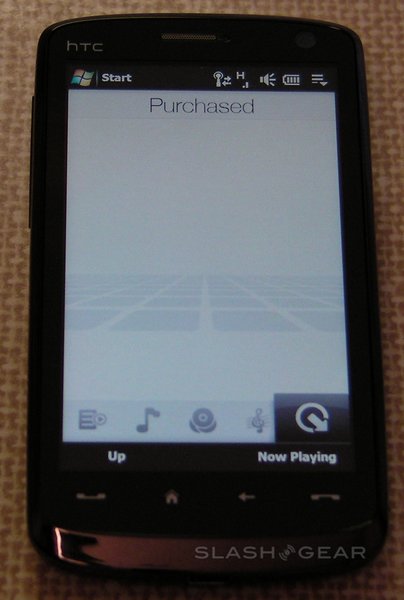
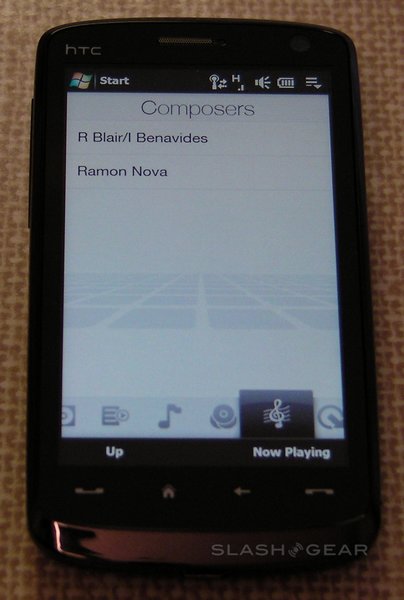
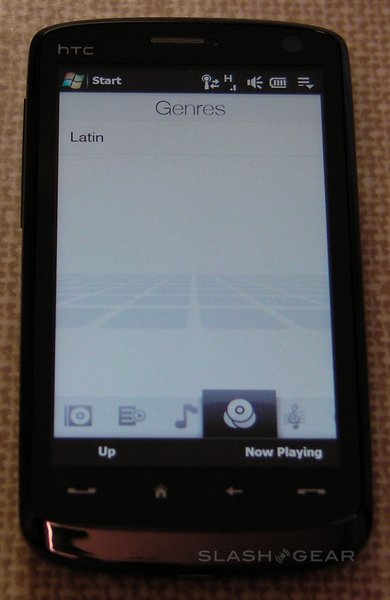
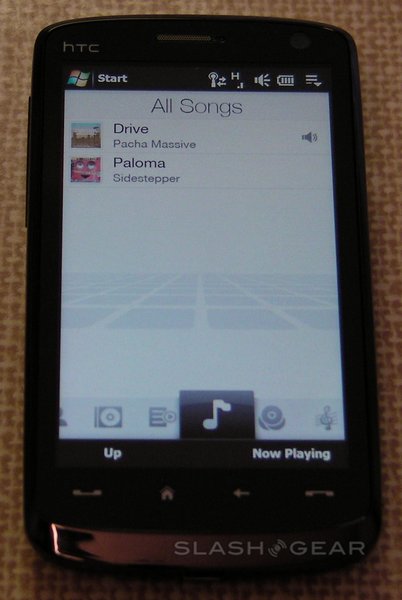
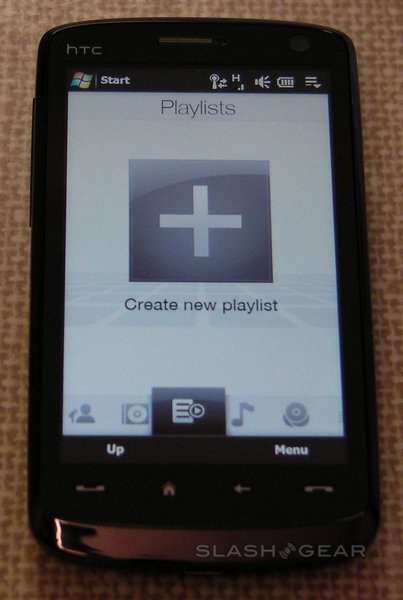
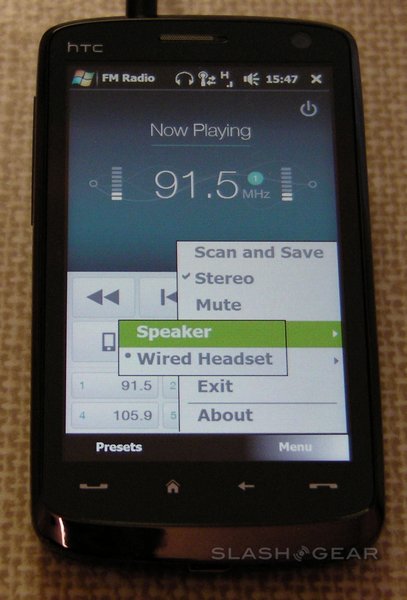
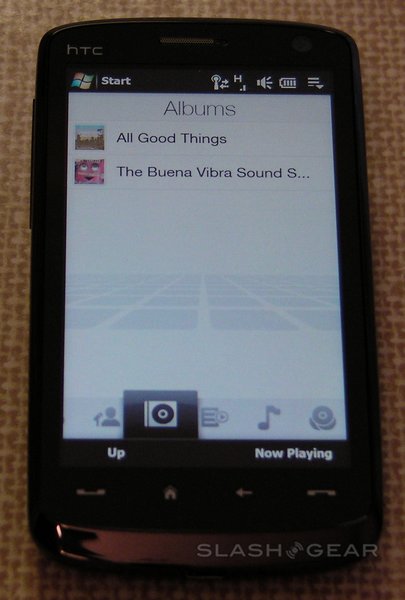
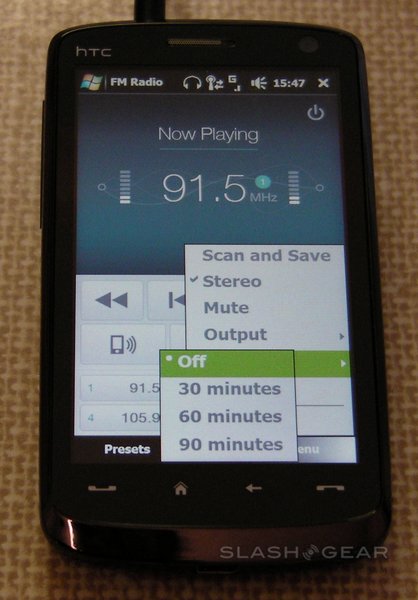
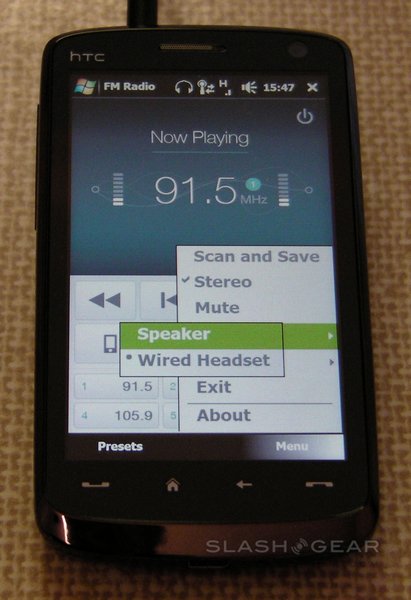
That’s great news, because the Touch HD plays the part of a mobile media device very well.  Audio is playable directly from the TouchFLO 3D GUI, with AAC, AAC+, eAAC+, AMR-NB, AMR-WB, QCP, MP3, WMA and WAV formats supported.  That means no protected iTunes tracks, but since that’s nothing new outside of the iPhone we can’t criticise HTC too much.  Music can be organized by artist, album, song, genre and composer, with on-device playlists created.  Purchased Windows Media Audio files with DRM can also be displayed, and there’s an FM radio with autoscan.

Sound quality is more a function of the included headset than the Touch HD itself.  It’s the standard HTC wired earbuds (complete with an in-line microphone and answer-button) and while they won’t win any awards they’re nonetheless better than those Apple supply with their iPods.  Thankfully the standard 3.5mm jack meant switching to a set of Sleek Audio SA6 earphones (which we reviewed here) was easy; they made a far better impression, and when we loaded the smartphone with some 320kbps MP3s (and turned off the equalizer) there was an impressive depth to the sound which, subjective as it may be, we’d compare favorably to that of the iPhone.  Needless to say, we’d have with no issue using the Touch HD as our primary audio player. 

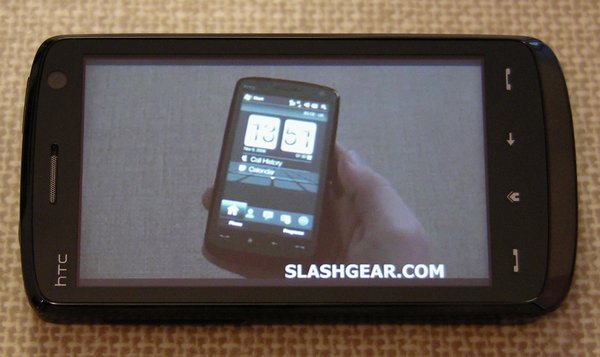
Video playback had mixed results.  We had high hopes for the Touch HD’s 480 x 800 display, and indeed it’s richly colored, bright and shows decent, if a little murky, black levels.  Playback of 720p high-definition WMV files proved a literal non-starter; we then tried a 1000kbps, 25fps, 768 x 576 WMV file, the audio of which was no problem but the picture stuttered.  A 650kbps, 29fps, 320 x 240 video played with no problems at all, but a 740kbps 640 x 480 file suffered jerky video.  Scaled down to 545kbps 640 x 480 the video was reasonable.

DivX and XviD proved more flexible; we converted the same 740kbps WMV that proved unwatchable into a 1248kbps 640 x 480 25fps DivX file that ran with no problems at all.  After testing out a number of different codecs we’d recommend serious video users consider converting into DivX for the best viewing experience on the Touch HD.

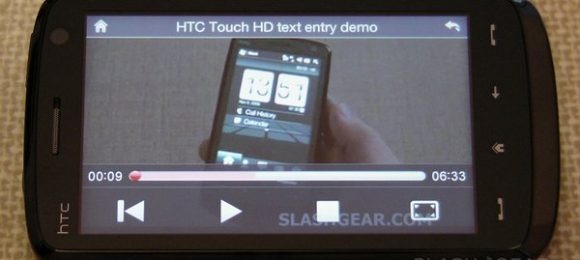
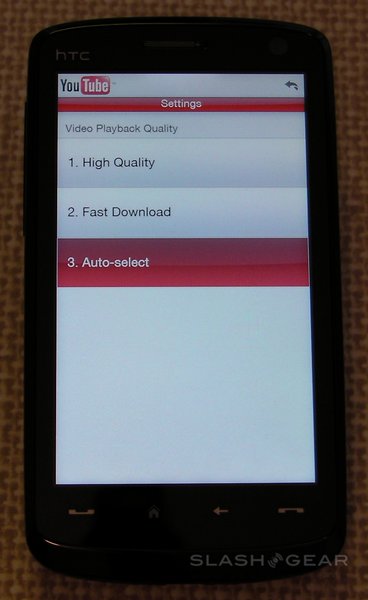
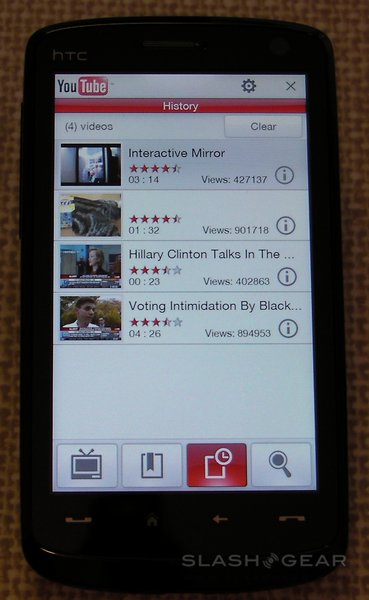
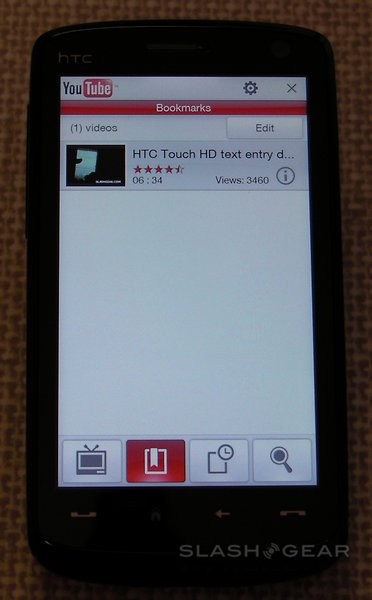
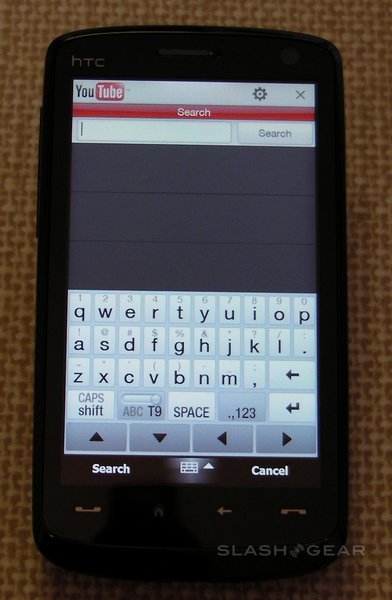
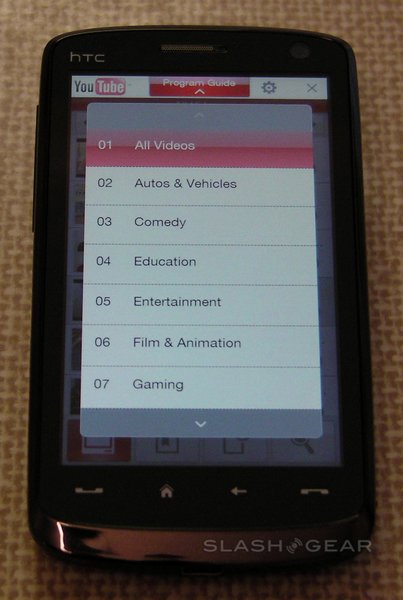
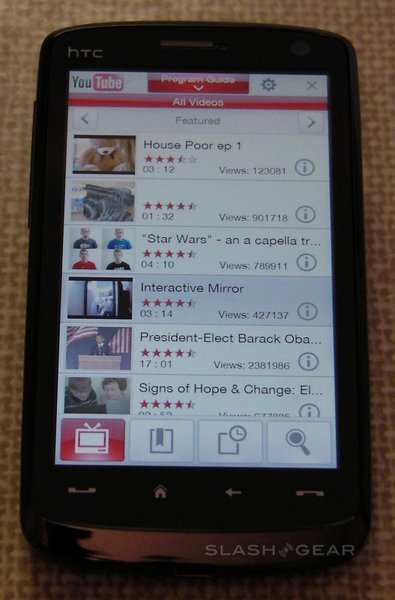
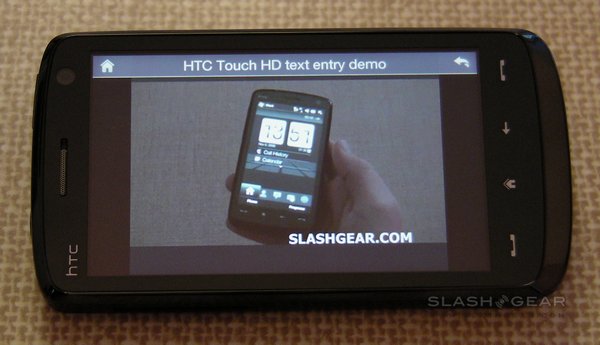
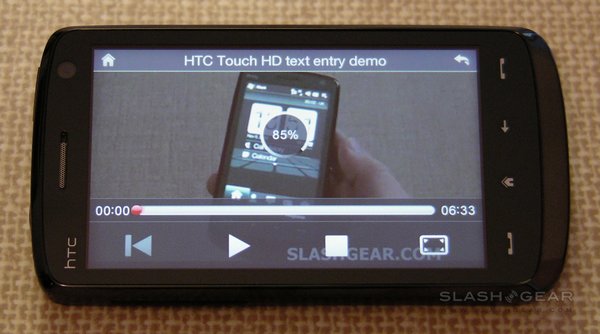
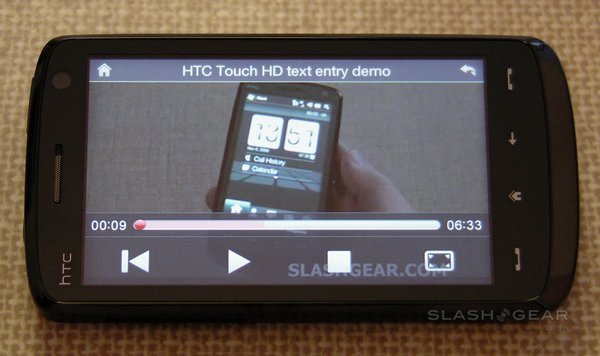
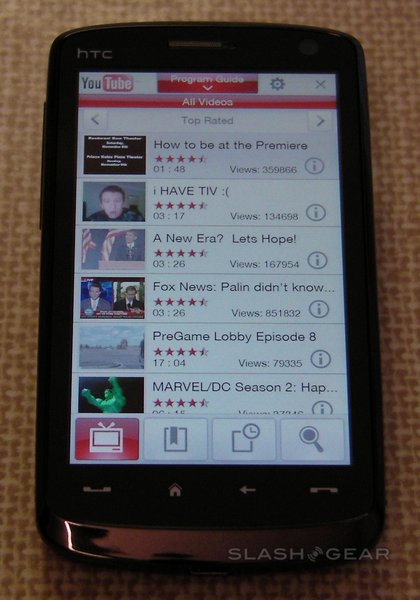
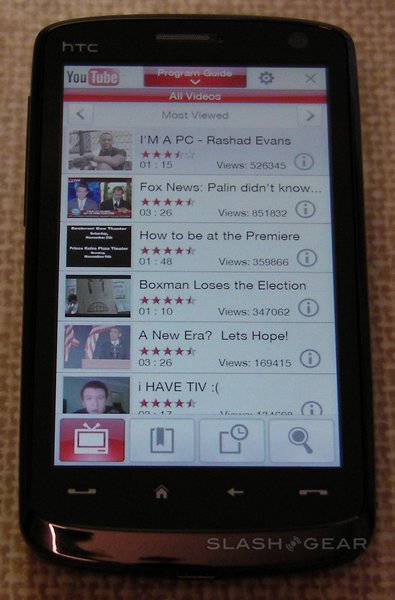
The standalone YouTube application (which you can see in our demo video) offers access to the top rated, featured and most viewed videos across all of the media site’s categories (sports, music, etc.)  The only setting on offer is the choice between high quality or fast download (or an auto-select option which switches based on connection speed).  There’s also access to bookmarks and history, as well as the ability to search videos.

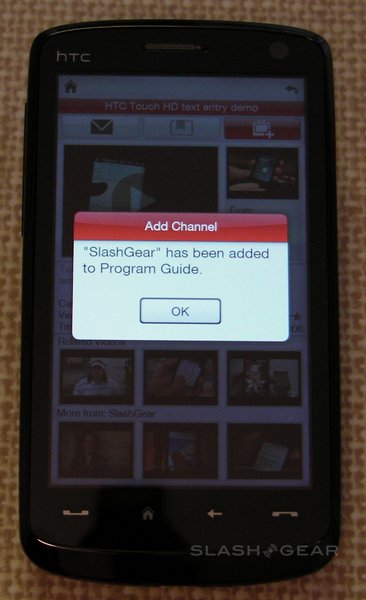
Select a clip and the screen automatically rotates to landscape and it begins downloading.  Alternatively, hit “i” and there’s an overview page, with text summary, upload details and star rating.  While there’s no way to rate the video on the Touch HD itself (in fact you can’t log into your YouTube account at all) you can add them to the handset’s bookmarks, add the channel to your program guide, or send the link by email, MMS or SMS message.  The info page also shows thumbnails of three related videos and three further videos from the same channel.

We found the YouTube client slower to load than the version on the iPhone, but once started and updated it was quick to move between screens.  The Touch HD’s impressive display is really the clincher here; video plays smoothly and with better resolution than on the Apple device.

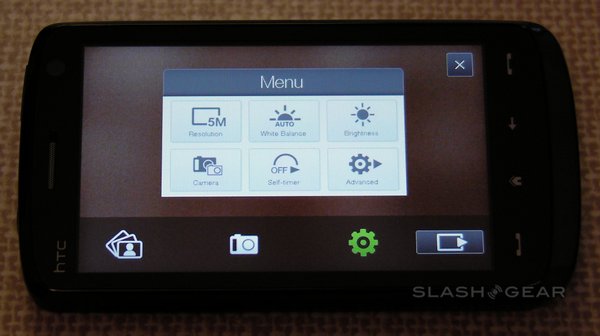
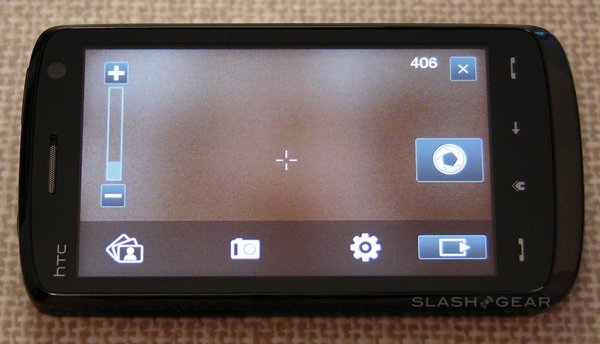
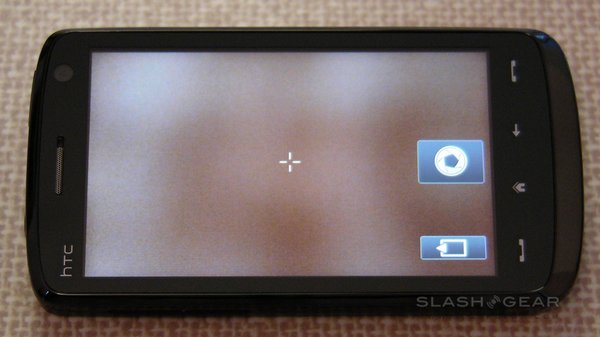
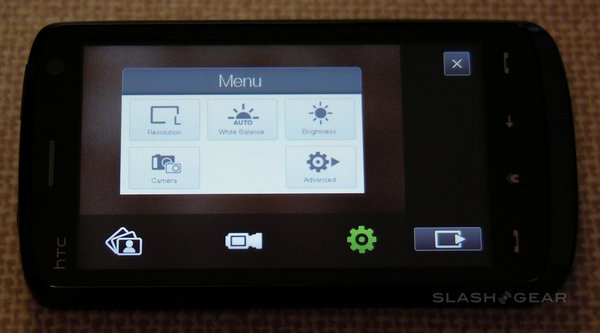
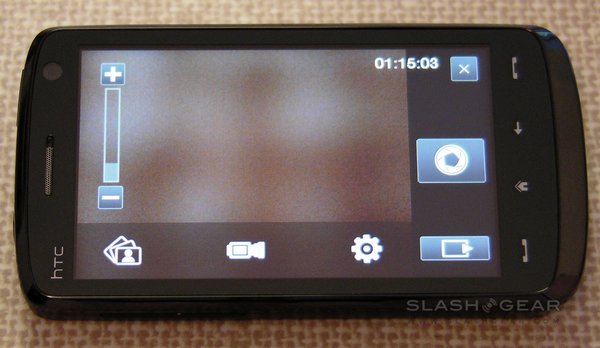
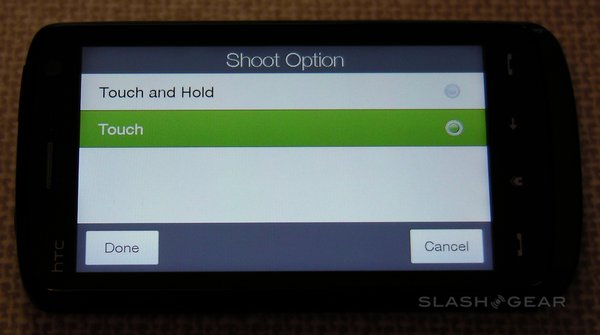
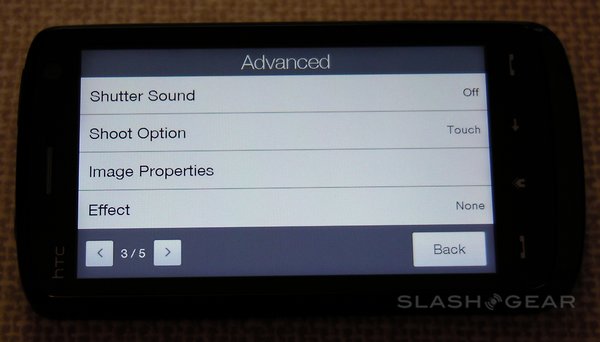
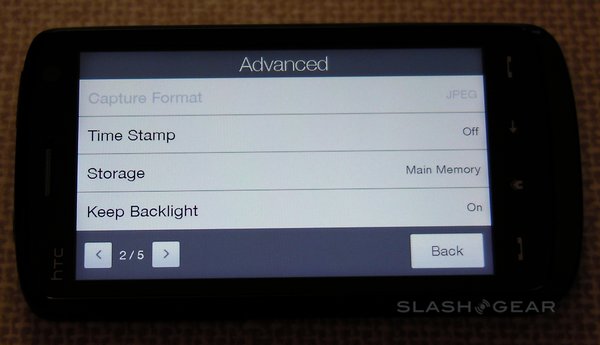
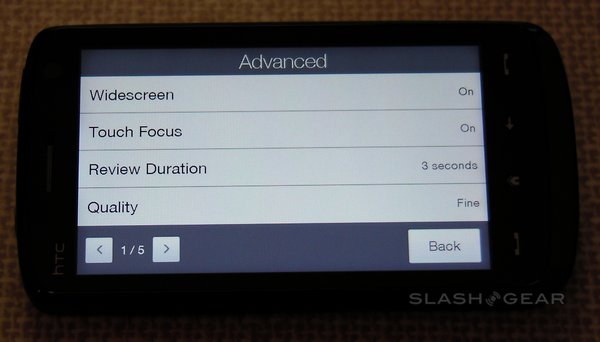
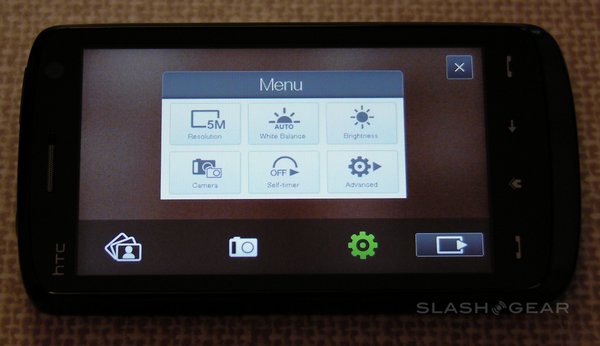
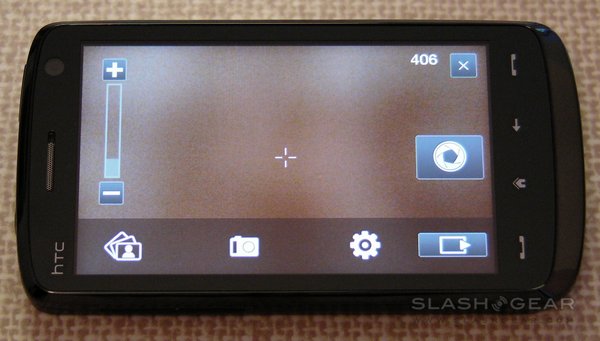
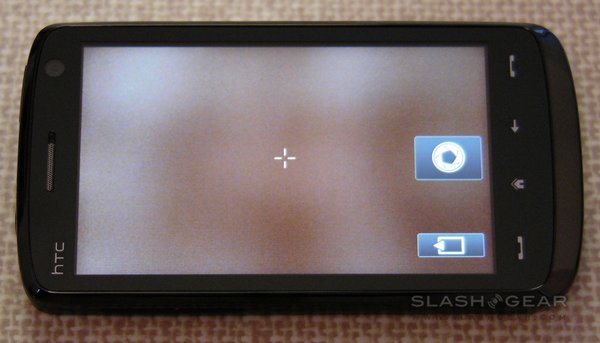
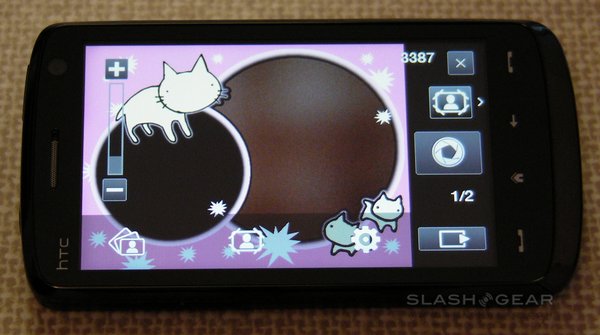
The Touch HD has a 5-megapixel camera with autofocus, though sadly not even an LED flash, never mind a Xenon one.  It’s capable of stills and video recording, with reasonable quality in both.  Camera options include a choice of resolutions - from ‘M’ (320 x 240) up to full 5-megapixel - and white-balance settings - auto, day, night, incandescent and fluorescent - together with adjustable brightness.  The whole display is used as a viewfinder, while focus points can set by tapping any point; an on-screen shutter release replaces a hardware key.

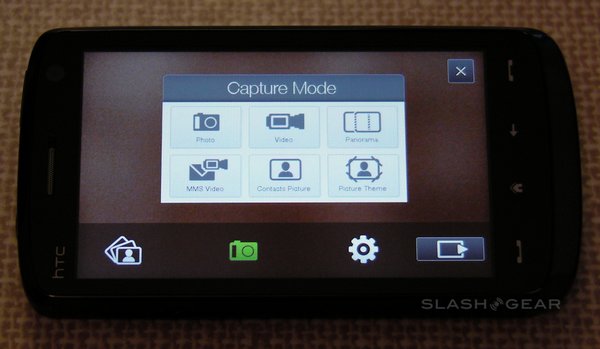
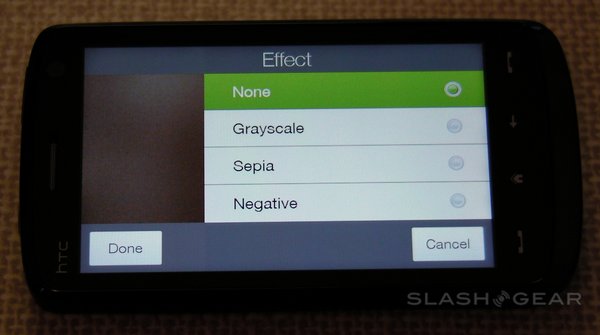
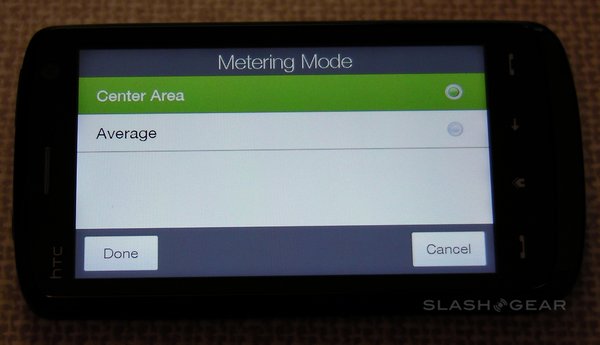
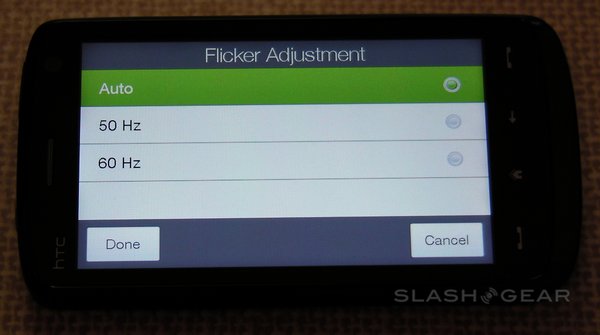
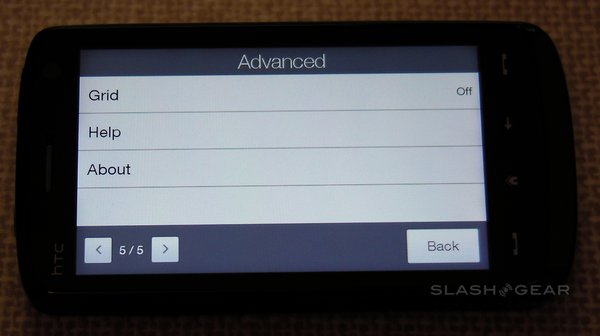
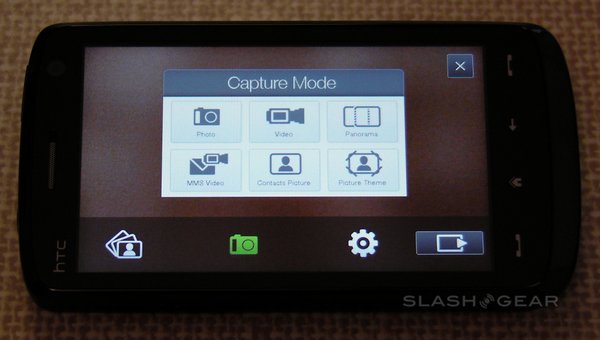
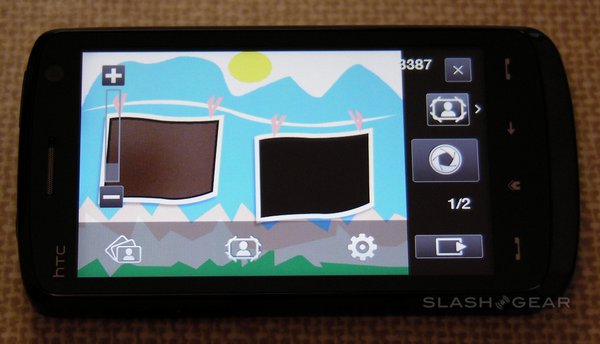
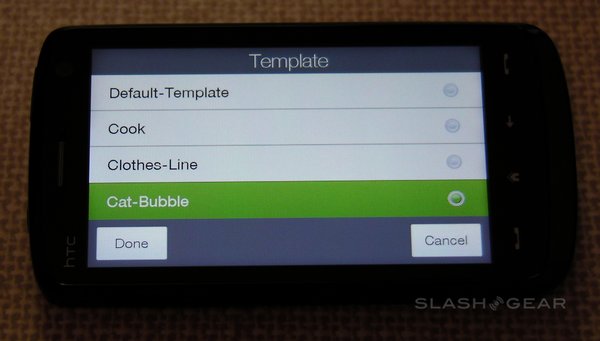
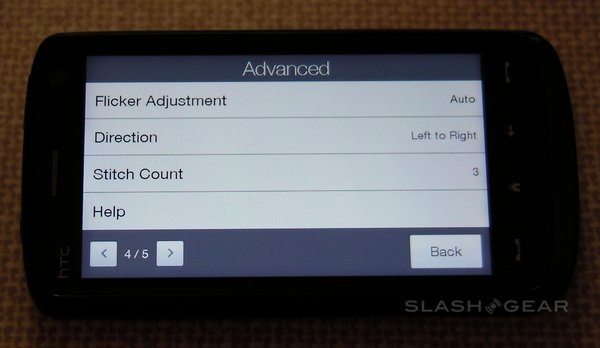
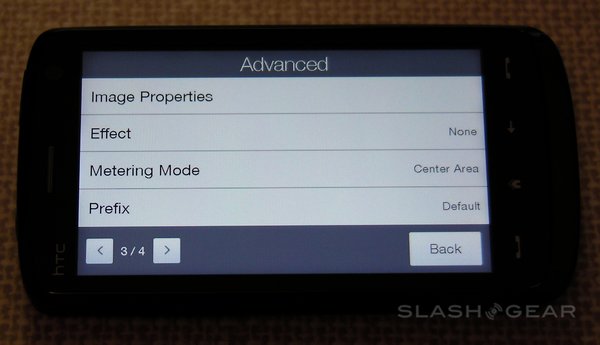
Among the advanced settings are image effects - grayscale, sepia and negative - the option to switch metering mode between the center and the overall average, flicker adjustment (auto, 50Hz and 60Hz) and an optional on-screen grid.  A preset menu lets you change between normal still images, normal video, photo panoramas, MMS-quality video, contact-size images and “fun” frames (such as fake magazine covers).  There’s no optical zoom, but the Touch HD does have a digital zoom (that, as always, sacrifices quality for close-up).

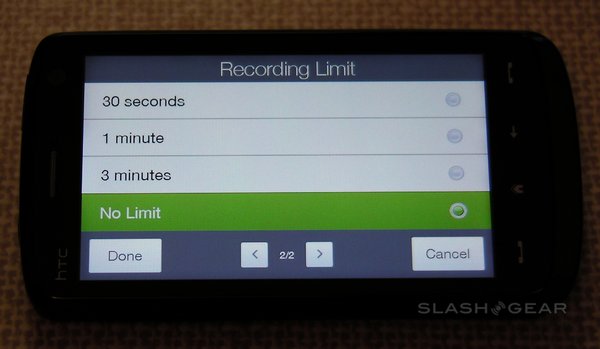
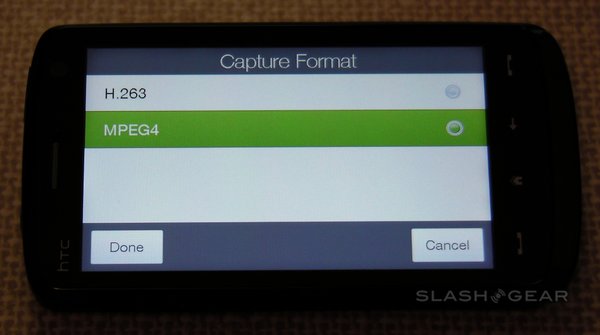
Video can be shot for as long as there’s memory (either internal or microSDHC card) in MPEG4 or H.263 format.  Sound can be toggled on and off, and there’s the same metering mode, effects and flicker adjustment as in still captures.  Both have a self-timer with adjustable delay.

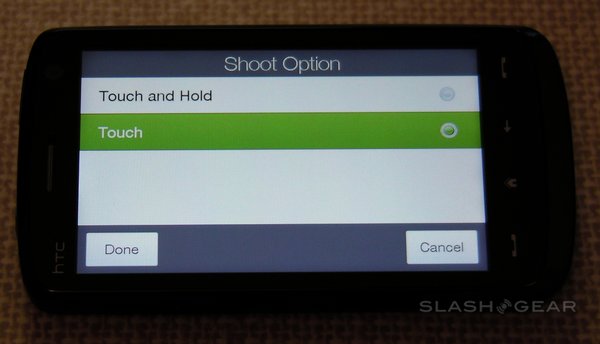
As could be expected, indoor and nighttime shots and footage aren’t as impressive as their daytime counterparts.  The autofocus is relatively quick to lock on, but several users commented that the preview image looked somehow crisper than the end result.  While the “shutter release” requires only a soft tap to trigger, it can be difficult to do so without wobbling the handset forward slightly.  Nonetheless all the controls are easy to press with a finger, and don’t demand you pull out the stylus; in fact, we know of many digital cameras which could do with learning from the Touch HD’s straightforward menus.

Natively, the Touch HD lacks general screen rotation; the option is only available in the Opera browser, together with when the camera is being used or photos being viewed.  We tried third-party app GSen (which is freeware), which uses the accelerometer to track orientation and extend that functionality to other apps; it works well, particularly when messaging.  Rotating the phone closes the on-screen keyboard, but when re-opened it automatically changes to the horizontal layout as seen in the browser.  GSen’s developers suggest that certain apps won’t play nicely with the software, but so far it’s only been TouchFLO 3D and the YouTube client that have refused to rotate.  It does, however, screw up the YouTube video rotation; if you use GSen, you’ll need to add “#window(youtube)” into the app’s config file (instructions are included with the program).

As a phone, the Touch HD performs well.  We tested it both in metropolitan areas and more residential, where we’ve found the HSDPA connection generally more tenuous, and the handset rarely lost a signal.  Moreover, even with just one or two bars (a subjective measure, yes, but what most users will go by) calls were clear and loud on both ends, with no noticeable artifacts.  We didn’t experience a single dropped call in our time with the handset; bear in mind, however, that our Touch HD was supplied by HTC themselves, not Orange (who have an exclusive on the smartphone for the first two months) and as such we weren’t always using the Orange network.

Bluetooth performance was strong, with PC connections possible even when the phone is in a bag or coat pocket across the room.  We tested with several Bluetooth headsets, including both cheap entry-level models and more expensive versions, and experienced no noticeable difference in sound quality over holding the phone direct.  As well as the handsfree and headset profiles, the Touch HD also supports the A2DP Wireless Stereo, PAN (Personal Area Networking), SPP (Serial Port), HID (Human Interface Device), OPP (Object Push), BPP (Basic Printing), SAP (SIM Access), AVRCP (Audio/Video Remote Control), DUN (Dial-up Networking), PBAP (Phonebook Access) and SDAP (Service Discovery Application) profiles.

One obvious omission, however, is the lack of a proximity sensor.  In other touchscreen cellphones that has been used to good effect, automatically turning the display back on when you take the phone away from your face.  The Touch HD requires you to press one of the touch-sensitive keys in order to wake the display again mid-call; alternatively, pulling out the stylus does the same thing and, optionally, brings up the notepad for you to scribble down a number or address.  It’s neat, but we’d like to have seen it coupled with a sensor.

A device like this lives and dies, though, by the quality of its touchscreen; ironically, this is the toughest aspect to convey in words or even video.  The obvious comparison is with the iPhone and no, by picking resistive over capacitive, the finger-touch sensitivity of the Touch HD isn’t as good.  However, the difference between them is absolutely tiny: the Touch HD has the best resistive touchscreen on a cellphone that we’ve tried.  At times you could trick yourself into believing it to be capacitive, there’s so little screen-flex.  Dragging and scrolling requires moderate pressure, but not unduly so; similarly, the resistive layer on top of the display is so thin you still get a reassuring hard ‘tap’ as you stab at buttons.

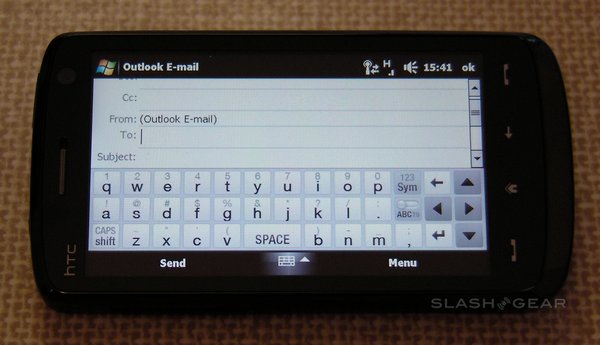
Perhaps the most telling statistic is how often you feel the need to pull out the stylus.  Sadly the Touch HD doesn’t keep track of that (now there’s an opportunity for third-party developers) but from our own use over the past week it’s a rare occurrence.  As the text-input video demo in the first half of this review showed, typing on the Touch HD is perfectly manageable using only your fingers.  Browsing is also finger-friendly, as is any aspect of the GUI which HTC have fettled.  In fact the only real stylus-demanding moments are Windows Mobile’s tiny little up/down buttons, used to set alarm times and the like; yes, a well-aimed fingernail can hit them, but it’s easier to whip out the stylus. 

Battery life with a 3.8-inch display could have been measured in minutes, not hours, if HTC hadn’t made a sensible powerpack choice, and thankfully they squeezed a capacious 1,350mAh unit inside.  It takes up a little less than half the length of the phone and, together with the Touch HD’s 12mm depth, makes you realize why features like a camera flash simply couldn’t be fitted in.  HTC claim the battery is good for up to 420 minutes of 3G talktime or 680 hours of 3G standby (non-3G talktime is estimated an hour higher, standby a full 240 hours less).

We tracked everyday use of the Touch HD, allowing the phone to latch onto a 3G network when it could (which was pretty much all of the time).  With WiFi turned on, push email active, and with a few short calls, the occasional SMS message and some web browsing, we managed a full day and a half of use before the battery warning popped up.  Turn off WiFi (which is straightforward with the HTC Communications Manager) and that’s easily extended to two days. 

Users happy to trigger their own email checks, rather than receive them as they arrive, will be able to stretch that out even further, which we think impressive for a smartphone.  Certainly, on the iPhone 3G we were recharging at least every night under conditions similar to the first scenario.  The Touch HD’s battery is user-replaceable, too, so you could feasibly carry a second pack around; alternatively, it seems relatively unfussy as to which powered USB port it sucks from, so a standard USB to mini-USB cable can top it up from any available Mac or PC. 

In doing so, we noticed that the option to set the handset to display as either an external drive or as a smartphone to be synchronized would not let us choose the former option without a microSD card in place.  However, plugging the Touch HD into a PC did first bring up the standard Vista dialog offering the choice to browse the handset’s storage or run the photo transfer wizard.

With the Touch HD performing so well as a PMP, media playback battery times are also key.  Our criteria for testing were that the Touch HD should continue to operate as a phone despite its media functionality; that given, we switched off WiFi and push email but left the cellular radio (in an area with 3G service) turned on.  Volume was set to its highest level and, in the case of the audio player, the screen turned off.

With continuous audio playback, the Touch HD lasted around fifteen hours before playback ended.  With continuous full-screen WMV video playback the handset lasted roughly seven hours.  Obviously switching off the phone component of the Touch HD will stretch out the battery life, just as turning on WiFi and/or push email will reduce it.  We should also point out that this is a brand new battery; after several charge/discharge cycles its capacity is likely to increase.

HTC have now confirmed to us what will be included in the final retail package.  This is the bundle sold by Orange; contents could change when their two-month exclusivity agreement ends. Until then, Touch HD buyers will get:

  • HTC Touch HD
  • 8GB microSD Card
  • Screen Protector
  • Stylus
  • AC adapter
  • Pouch (Carrying Case)
  • USB Sync Cable (mini-USB/USB)
  • Battery
  • Wired Stereo Headset
  • Quick Start Guide & CD

So, have HTC managed the nigh-on impossible and snatched the cellphone crown from the Apple iPhone 3G?  Predictably, the answer is “maybe”, and it all hinges on what you want from your mobile.  The Touch HD is a true smartphone and Windows Mobile 6.1 a truly flexible OS: there’s a wealth of applications out there spanning the breadth from business through to games, built upon a software ecosystem that’s been in development for years.  Microsoft and/or HTC really need to step up and deliver a straightforward way for new users to plow through that back-catalog, because otherwise they’re wasting its potential.  If you’re an enterprise user, or simply someone with an Exchange account, Windows Mobile is still a more stable and straightforward way to access that, compared to our experience with Exchange on the iPhone.

What the Touch HD does well, it does very well.  The camera may lack a flash but photos and video are both decent (easily besting those taken by other smartphones), media playback, with a few tweaks, is great, and the internet experience on the huge 3.8-inch display is addictive.  Once Flash compatibility, in one shape or another, reaches the Touch HD we’ll be able to wholeheartedly recommend its online prowess; until then, it’s two qualified thumbs up.  Opera does the best it can with a resistive, multitouch-lacking touchscreen, cleverly rendering to make the most of space and not, in all the time we’ve been using it, crashing once.

Which brings us, of course, to the touchscreen, and what will likely be the whipping point for most geeks considering the Touch HD.  If you’re starting from the point of view that a capacitive screen is the pinnacle of interfaces (and trust us, many would disagree on this point) then no, a resistive touchscreen is never going to match up.  That said, we stand by our assertion that this HTC handset has the best resistive panel we’ve used on a mobile device; firm, responsive, and capable both of precise taps with the stylus and bold gestures with fingers.

For many, though, having the ability to use both stylus and finger is a benefit, rather than the sign of a lesser technology.  If you find yourself in that camp then run, don’t walk, to your nearest Touch HD stockist; it has 97-percent of the feel of a capacitive display - no squish, no sluggish drag - coupled with not only a stylus but the ability to use it wearing gloves.

There are undoubtedly disappointments - the lazy GPS, for one - but the biggest issue comes down to Windows Mobile.  HTC have done a great job with TouchFLO 3D in hiding the underlying OS, but as long as there are menus and settings pages where you’re dumped into basic Windows Mobile territory then it’s simply not enough.  A good example of this is the alarm: tap the clock on the TouchFLO 3D homepage to change what time you’d like to wake up, and you’re faced with a 3/4-inch line-drawn clock face adrift in white space.  A single tap from the homepage and TouchFLO 3D is behind you.

You could argue that’s Microsoft’s fault, for having an ugly OS.  Or perhaps it’s HTC’s fault, for not extending their GUI far enough.  In the end, though, the consumer isn’t going to care who’s to blame: they’re just going to look at the interface failings and compare them to Apple’s consistent, slick design, and you know which will come out on top.

The HTC Touch HD has the potential for greatness.  Connectivity options are both fast and plentiful, the physical design is attractive, even battery life - which you’d assume would be first victim to the glorious display - surprises with its longevity.  Without TouchFLO 3D it would be a washout, however; with it, many will be able to look past the Microsoft flaws.  We’d love to see the Touch HD running Google’s Android OS, or even the next-gen version of Windows Mobile which, if the talk is to be believed, will bring with it an overhaul in usability and design.  Right now, it’s not as consistently intuitive as the iPhone, and that will cost it some customers; those who stick with it, though, will be rewarded by an overall brilliant smartphone.
Subscribe via RSS or Email | Read 63,951 times


  1.  JohnBlue   View all comments by JohnBlue  +10  Add karma Subtract karma 

    BRAVO.

    You have my apologies man. Seriously. I jumped the gun and it was totally uncalled for- the greatness of Part 2 makes me feel even worse. The paramedics are going to need to be called to get my foot out of my mouth.

    I bow down to you, Sir.

    Well done and thank you.

    Great job.

  2.  Surur   View all comments by Surur  +5  Add karma Subtract karma 

    Nice and fair review. I especially liked the use of 3rd party software to increase functionality, and I like your conclusion.

  3.  adria nplesa   View all comments by adria nplesa  +2  Add karma Subtract karma 

    thanks for part 2 of review
    but if you want to say me how you do to avoid make accidental calls wen you put HTC HD in your bag or pocket? how your block his screen? and have ambient senzor for screen light?
    merci
    apreciate your answare

  4.  Davech   View all comments by Davech  -1  Add karma Subtract karma 

    Great in depth review, although Part 2 didn’t affect my purchasing decision as I’d already ordered one by then! Hope the GPS lag isn’t too bad using other apps.

  5.  Kaka   View all comments by Kaka  +10  Add karma Subtract karma 

    hi if i purchase this phone now will i be able to upgrade it to windows mobile 7 when it comes out ?

  6.  Marius   View all comments by Marius  +10  Add karma Subtract karma 

    Hi
    I want to know how are the pictures made by HTC HD compared with those made by Nokia N95 or any Samsung with 5 megapixeli camera;i am interested especially in the acuracy of documents located close;A page of A4 format book is readable, can be located in excellent conditions ?(I need to get photos to documents, invoices and send them by e-mail)
    Thank you very much

  7.  Kamlesh   View all comments by Kamlesh  +2  Add karma Subtract karma 

    Thanx for such an excellent review, the part 2 really answered a lot of questions.. ill be mainly using this device as a PMP and net surfing tablet so it looks like those 2 aspects of the TouchHD is really exceptional.. neway bout the picture quality that marius asked i guess after reading bout the touchHd all over the net i can assume that without the flash i dont think it would be say as good as teh quality of the N95, which i had before i got the diamond.. the sharpness of pictures taken on the N95 is exceptional especially with the flash in the dark areas.. but then its just an assumption.. i cant really say anyhting till i get this device myself..

    neway thanx again for this wonderful review..

  8.  Chris Davies   View all comments by Chris Davies  +2  Add karma Subtract karma 

    @John, I’m just glad it answered your questions. Don’t forget to let me know if you end up buying an HD!
    @adria, the power button on top is dual-function: a long press turns the HD off, a short press locks it. Unfortunately there doesn’t appear to be an ambient light sensor; if there is, I never noticed it doing anything!
    @Kaka, Windows Mobile 7 is a mystery right now. To me, it seems crazy that HTC wouldn’t offer an upgrade option, the HD is an ideal candidate, but we won’t know until closer to release.
    @Marius, I’ll shoot some photos and video with the HD and run a follow-up article on quality.

    Thanks for your comments, all; I’m pleased part 2 was a hit!

  9.  Mlalahoi   View all comments by Mlalahoi  +1  Add karma Subtract karma 

    Thank you SO MUCH for showing a picture of the keyboard in landscape mode…this has been a HUGE issue for many and you have helped us all with that image and description….thanks for an awesome review!!

  10.  Arthur Norton   View all comments by Arthur Norton  +1  Add karma Subtract karma 

    Chris,

    Thank you for a Part 2 that lived up to the standard you set in Part 1. You have set a benchmark against which all smartphone reviews can be judged - and most will fail.

    I’ve ordered a Touch HD and, judging by your review, should be well pleased with it.

    I’m reading this on Saturday morning at 10:25GMT; so, I’m a bit late with my congratulations!

  11.  losdrivare   View all comments by losdrivare  +1  Add karma Subtract karma 

    thanks for part 2 of review
    but if you want to say me how you do to avoid make accidental calls wen you put HTC HD in your bag or pocket? how your block his screen? and have ambient senzor for screen light?
    merci
    apreciate your answare

    The phone is locked/unlocked by pressing the power button. However, the phone automatically unlocks when recieving a call. To avoid picking up calls accidentally you can use a third party software (free), called S2U2. Using a function called S2A - Slide To Answer - you will need to do an Iphone-like slide to pick up a call. I use this on my Diamond and it works excellent. Current version is 1.33. Find it with Google. :)

  12.  losdrivare   View all comments by losdrivare  +1  Add karma Subtract karma 

    @Chis:
    I believe there is an ambient light sensor, look at the speaker, right end. If it works like on the Diamond, it can be used to regulate the screen brightness automatically in Settings/System/Power/Backlight.

    Thanks for the very in-depth review! I especially liked that you looked into the GPS-lag and functionality with Gsen. The comparison with Iphone and capacitive displays were very valuable too, it seems the HD is as reponsive as resistive screens go!

    Regarding mp3-playback, did you try playing high-quality mp3s ~320kbit for any length of time (+10 min)? The Diamond has an issue where the playback glitches at least every 5 min or so. It would be very interesting to see if this issue has been resolved on the HD, as this seems otherwise a very good PMP.

    Thanks again for an excellent, in-depth, unbiased and critical review! :)

  13.  JohnBlue   View all comments by JohnBlue  +1  Add karma Subtract karma 

    I am not sure how accurately you can answer this, but would you think with the screen protector that the screen similarity percentage would jump from 97% to let’s say, 99.99%, or would it be lower due to worse traction?

    I read through the manual and they do in fact indicate that there is an ambient light sensor- it’s on the right side of the front speaker, probably looks like an LED. Which is great news because that way we can use PocketShield, which looks to be a terrific piece of software:
    http://pocketshield.netserver01.com/demo.aspx

    If you could post some actual pictures/video taken by the HD, that would be fantastic!

    Also, if you could post a followup regarding the GPS. Over at XDA some are saying it might be a software issue rather than hardware. Could you try to run TomTom and get back to us? TomTom 7 V7.451 seems to be working on it.

    Thanks once again!

    Thanks once again!

  14.  Chris Davies   View all comments by Chris Davies  +1  Add karma Subtract karma 

    I’m an idiot, yes, that’s the light sensor - to the right of the speaker on the front of the HD. I think the reason I hadn’t noticed is that it doesn’t appear to adjust the backlighting very much at all, hardly noticeable in fact. Thanks for pointing it out, guys!

    I’ll try the longer-term 320kbps MP3 test this weekend, and attempt to get hold of a copy of TomTom to test. Video and photo examples should be up at the beginning of next week.

    John, my review handset didn’t come with the screen protector, and I’m not sure whether it’ll be a smooth or ‘paper’ finish. Without knowing that, I really couldn’t speculate, sorry. I’ll see if my contact at HTC PR can shed some light…

  15.  Kashif   View all comments by Kashif  +1  Add karma Subtract karma 

    I cannot appreciate more the fairness of this review. Well done and thanks for providing us with the genuine guidance.

    Now below are my impressions after using the handset for more than 24 hours. I do wonder if HTC development team reads through English review. They can be of immense help for future improvements.

    Phone itself is well built and front panel appears metallic perhaps liquid metal but I am not sure about this. Back cover is bit plasticky. Looks nice but could be better. Screen protector is as good as you could get but no spare one in the box so apply carefully. In fact I suggest to apply the protector as soon as you remove the original plastic cover. Makes it hassle free.
    Sleeve looks cheap but I suppose could deceive the thieves, nevertheless provides protection for this gorgeous expensive handset.

    In my opinion a handset has to be a good phone in the first place and HD lives to this expectation. Quality of the phone is excellent. It picks up and holds 3G/HSDPA signals very well. This is much better than few handset I have recently including TYTN 2 and Skype S2. I had problems with signals with these handsets at home but not any more thanks to HD. Previously the use of Nokia N95 silver was hopeless experience as regards to signal and call quality.
    In my office where I could not pickup 3G signal constantly the HD did quite well and a test on few down loads from the web was perhaps as quick as my laptop.

    Touch flow is good and gives you not only the choice of adding and removing the shortcuts but also you can rearrange them. However I think on such a big screen they should really have two rows with the bottom row being primarily active.

    Touch HD is a beautiful handset. Screen is amazing only to blame is WINMO’s 65 K colour drivers for any shortcomings. However to me in terms of colours this screen performs nearly as well as my Toshiba M300 laptop(manufacture 2003) with Intel graphics unfortunately no flash though. This is a shame that HTC still not managed to make all of their essential program screens to rotate automatically. They need to hurry up and remove this minor fault. Touch screen is very much figure friendly but I think there is some compromise on the use of stylus. Stylus touch does not appear to be as responsive as Tytn 2 however, how cares as you do not need to use stylus as often.

    Opera browser is excellent. Renders various pages well but on this large screen you still need to zoom in before the links are active for the touch. Hope they will be able to address this issue as you should not necessarily need this when you can read the links without zooming in.

    GPS seems okay. But you cannot really assess this very well until you have dedicated and compatible software. I do not know how well TOMTOM or COPILOT live will work so I am still holding on and will buy after some reviews regarding their compatibility are available.
    Camera not used that much but few photographs taken appear good for a mobile phone.

    Lastly I think major fault lies with Microsoft. This giant is constantly behind as compare to hardware developers. Do not forget first WINMO WVGA hand set was marketed by Toshiba more than one and a half year ago which suffered badly due to poor ROM. I believe if Microsoft could provide slim operating system with out all the crap they include in windows XP/Vista the hardware developers will be able to catch-up and provide a handset with the same capabilities as Win XP. I wonder if in near future capable smart phone with large screen will remove the need of small laptops. So HTC and smart phone manufacturers do seem to have bright future.

  16.  adria nplesa   View all comments by adria nplesa  Neutral  Add karma Subtract karma 

    thanks for your personal answare
    losdrivare say there is posible to be sensor for ambient light and seting for him
    please ceck it
    and for gps works other software without lag? example Mio or Igo ? and it is compatible with his wide resolution?

    HD can be used without the screen protector, and with wath real damages?

    i asqed about auto (cars) charging becouse actual pda Glofiish x500 using a difrent mini cable usb for charging, wath we can do to keep the old cars charging? must change the usb cable?

    merci

  17.  Ken   View all comments by Ken  Neutral  Add karma Subtract karma 

    Chris,
    Great review, but please help me? I’m stuck between the HD and the X1, since you tried them both please give me a brief detail on which one to get. The more I read about both of them I love them, but I only can afford one. I trust you advise, please help?
  18.  fressh   View all comments by fressh  Neutral  Add karma Subtract karma 

    how is the sound quality on the speaker?is it louder than iphone 3g?and what about gaming on handset?

  19.  Paul   View all comments by Paul  +1  Add karma Subtract karma 

    “Also, if you could post a followup regarding the GPS. Over at XDA some are saying it might be a software issue rather than hardware. Could you try to run TomTom and get back to us? TomTom 7 V7.451 seems to be working on it.”

    I have Co-pilot 7 installed on the Touch HD and didn’t notice any problems at all with GPS lag, works very nicely.

  20.  Mike   View all comments by Mike  +4  Add karma Subtract karma 

    I have enough with all those iphone killers!!!
    It’s time to reverse the question……will the iphone ever be a HD killer?

  21.  Ken   View all comments by Ken  Neutral  Add karma Subtract karma 

    Chris,

    Great Review!! I have a small problem. I stuck between the HD and the X1. I can only get one, but each time I either see a review on either, I want it and can decide which one. Briefly since you have used both devices, can you help me decide. I love them both, but I cant make the call. I trust you input. Thanks!!
  22.  Chris Davies   View all comments by Chris Davies  +2  Add karma Subtract karma 

    Ken, I’ve spent a comparitively short length of the time with the X1 versus the HD, so I’m nowhere near qualified to give a conclusive judgement. Considering both run WM6.1, software needn’t be an issue (in fact there are already people working on hacking both TouchFLO and the XPERIA Panels interfaces to work on the opposite devices). The X1’s display is the same WVGA resolution but less impressive, IMO, than that of the larger HD. However, while the HD on-screen keyboard is more finger-friendly than ever before, if you’re a message junky then I’d probably lean toward the hardware keyboard on the X1.

    My advice would be to find somewhere you can test them both out, and preferably which will sell you one with the proviso that you can bring it back after a short while to exchange if not entirely satisfied. I think you’ll probably love either :)

    Don’t forget to come back and let me know which you eventually choose!

  23.  Diego!   View all comments by Diego!  +2  Add karma Subtract karma 

    Since everybody is asking different questions… here is mine!

    So, after all you explained us in your great review, do you think is worth buying this phone?

    It’s a lot of money to invest but right now I’m not sure about what to do :(

  24.  Chris Davies   View all comments by Chris Davies  Neutral  Add karma Subtract karma 

    Tricky question, Diego - “worth” means different things to different people. If you’re glued to your smartphone throughout the day, watch video and spend lots of time online, and want the ability to do some hardcore messaging without the bulk of a “real” keyboard, then the HD ticks all those boxes and then some.

  25.  Wayne   View all comments by Wayne  +1  Add karma Subtract karma 

    Is the measly 250MB “unlimited” internet access from Orange enough to last a month of browsing on this phone?
    Has anyone tried using IP phone and/or messaging software like Fring or Skype on this phone via 3G?

  26.  Robert   View all comments by Robert  +1  Add karma Subtract karma 

    Thanks for a great review.
    I have a question though regarding music playback. Is it possible to use HTCs mini USB or the 3.5 mm stereo plug to a wired headset and use the “remote control button” on the headset (answer button for incoming calls) to change music? Forward (2 clicks), Rewind (3 clicks)? 1 click to stop / play the current track?

    Or do I have to fish my phone out of the pocket and push on the screen for this effect?

    Again - thanks for a great review.

  27.  Rovex   View all comments by Rovex  +1  Add karma Subtract karma 

    Great review thanks. Ive ordered this phone from Orange and it will arrive tomorrow (14th Nov). After 5 years of using symbians it will be an experience.

  28.  JohnBlue   View all comments by JohnBlue  +2  Add karma Subtract karma 

    Hey, is that follow-up coming?

    Would like to see some camera samples and if you could shed light on the video playback issues- the boys at xda-developers are going nuts.

    Thanks.

  29.  liquidmonkey   View all comments by liquidmonkey  +1  Add karma Subtract karma 

    what an AWESOME REVIEW!!

    THANK YOU!!

    this mobile is certainly moving in the right direction when it comes to listening to the customers for sure, well done HTC!! however, if you are reading this, please take the following into consideration…

    - please add a flash or LED or xenon as its great to double as a flashlight
    - landscape mode for sms etc. i mean really, how hard can that be?
    - having the microSD card on the outside would be nice, hardly convenient buried behind the battery
    - instead of competing for more megapixels please just include a nice 5MP camera with GOOD QUALITY, people prefer a quality 5 MP rather than 12 MP crap
    - super high quality video is not needed but please, 640×480 at 30fps must be possible now…
    - please integrate the volume button or similar into the camera! fingers should be pushing DOWN for stability, NOT IN or ON
    - inclusion of a good media player would be awesome! WMP sucks big time, try bundling VLC or CORE
    - FLASH support!! (although not a fault of HTC, so c’mon OPERA and/or ADOBE, get it together already)

    and i have some questions for the review person…

    does this mobile have aGPS?
    are you able to test any third party software? something with ‘turn-by-turn’ instructions?
    is it possible to install VLC player?
    i have read the video recording is 320×240, any truth to that?
    and is there any itunes compatibility? especially for play-lists? any 3rd party software that does this easily?

    thanks again for the awesome review and hope i can get my answers on any further followups or on this message board…

  30.  Gavin   View all comments by Gavin  +1  Add karma Subtract karma 

    Great review, have been waiting to read an in depth English one for ages. As well as the main uses of a phone and an internet tablet, the GPS will be of most use to me. I will want to use Memory Map for off road OS navigation and a third party SatNav such as Tom Tom.

    Is there any chance you’ll be able to get hold of any of these (MM especially) and test them on the HD?

  31.  -GiO-   View all comments by -GiO-  +1  Add karma Subtract karma 

    Thanks for the great review.
    Like many others I’m waiting for some detailed data regarding GPS performance with dedicated software. In my experience (Asus P535) Destinator was way slower than Garmin Mobile when moving fast on a car. Probably Google Maps, being so “heavy”, isn’t exactly a good test software for GPS speed…

  32.  Davor   View all comments by Davor  +1  Add karma Subtract karma 

    How does HD appear when you connect it with usb to PC on XP? Can it be easily used as an USB Disk or do you need to have an additional program installed such as iTunes for iPhone?

    Thanks

  33.  adria nplesa   View all comments by adria nplesa  Neutral  Add karma Subtract karma 

    GPS solution please wath soft are working with wvga resolution and are compatibili with HD?
    please. for est europe

  34.  Alex   View all comments by Alex  +2  Add karma Subtract karma 

    GPS works w/o any noticable lag with dedicated GPS software. Lock times are really fast… I’ve tried IGO8 and Garmin Mobile XT.

  35.  Arthur Norton   View all comments by Arthur Norton  Neutral  Add karma Subtract karma 

    There’s one flaw in this otherwise lovely ‘phone: it doesn’t sound an alert if a text message arrives when the screen is off (I thought that my poor old ears weren’t working properly!). Apparently, it’s not the only HTC ‘phone that has this fault. I’ve reported it to HTC: who knows, there might be a simple solution (sound of herds of flying pigs).

  36.  21st Century Peon   View all comments by 21st Century Peon  +1  Add karma Subtract karma 

    What app were you using to play the divx and xvid movies? HTC’s site doesn’t list those codecs as natively supported, and The Core Media Player plays very poorly or not at all, according to other reviews.

  37.  Mayo   View all comments by Mayo  -1  Add karma Subtract karma 

    There is GPS Photo on Touch HD?

  38.  Renars   View all comments by Renars  -2  Add karma Subtract karma 

    Hello.

    I am a Mac user and have never used a WM OS on mobile phones before. Will it fit with my Mac and is it hard to work with WM OS? I look forward to buy HD, but i am worried about the usage of it. Can anybody say, if i won’t be disappointed.

    Thank you!

  39.  DJ   View all comments by DJ  Neutral  Add karma Subtract karma 

    I’ve seen lots of photos, but can someone please tell me whether the call notification is a decent size. I want to see who’s calling without having to put on my glasses (I know I’m getting old). Standard WM just isn’t good enough.
    Thanks

  40.  Xleeius   View all comments by Xleeius  Neutral  Add karma Subtract karma 

    Great Review, and well put together.

    I have just ordered my HTC Touch HD to replace my HYC TYTN II. I do not get to pick it for another few days. I have been satisified the TN-II but have found HDPSA very lacking with a lot of signal loss or consistancy, I am really hoping this will not be the case or indeed not as bad! Also I have had mixed views about going for a touch screen only application. I am hoping that my chunky fingers will cope!

    There a number of reasons I went for this phone over the iphone and i personaly like apple technology, but mainly because i really think windows has or is rising to the challenge of apple and I just think the software is far more flexible and can be really made to compete with the solid slick apple applications.

    Technically although i do not have the phone yet I made my choice based on HTC as a company, as i think they are probably the only company that can rival apple on all areas, from build quality to competent usage and the ability to activate applications with ease.

    I guess i will have to wait and see what the phone is going to be like but if anyone would like to respond or ask me anything please feel free, and feel free to give me any hints or tips.

    Thanks


Add your comments

Please login to leave a comment. If you haven't signed up, you can do so free here. Lost your password? Reset it. With SlashGear account, you will be able to participate on SlashGear Forums.


Close
About / Advertise / Contact / Archives / Privacy Policy / Terms of Use
Copyright © 2006-2009 SlashGear, All Rights Reserved.